I recently received my offer to pursue my undergraduate degree at the University of Alberta (UofA)!!
It was one of those moments I had imagined for years. The excitement. The relief. The romanticization of studying abroad. It all felt unreal.
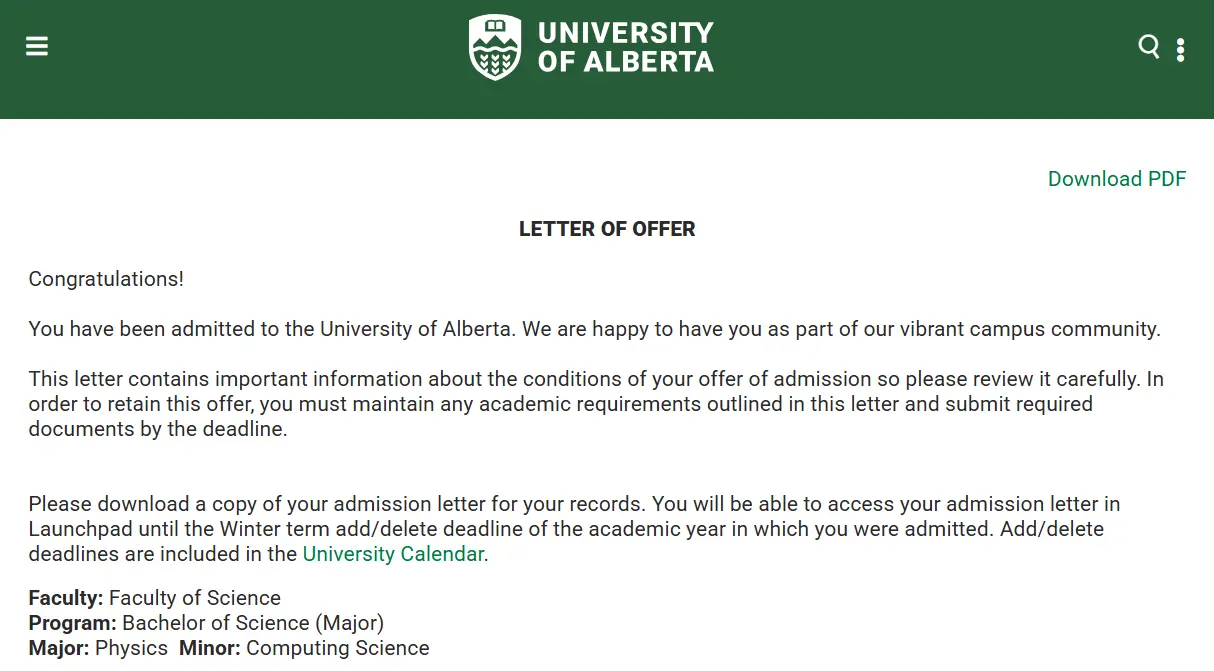
The moment it became real
But Aidil being Aidil, my brain didn’t stay in celebration mode for long. It shifted almost immediately into planning mode.
Around the same time, I was researching the career path I want to pursue and thinking about how to make my degree work intentionally toward that goal. I wasn’t just asking what courses I needed to graduate. I was asking deeper questions:
- How should I structure my semesters?
- How do I balance a physics major with a computing science minor without overwhelming myself?
- How do I meet my major and minor requirements while still leaving space for internships or research?
- How do I graduate on time and still position myself well for what comes after?
That’s when I opened the UofA academic calendar. And I felt completely overwhelmed.
For a Bachelor of Science (BSc) degree, there’s a very specific structure. But it isn’t visual, it’s just a list:
- 120 total units
- Communication requirement (COM)
- Indigenous requirement (IND)
- Breadth from Outside Science (BO)
- Breadth from Within Science (BS)
- Lab/Field experience (LAB)
- 300- and 400-level minimums
- Major and minor course requirements
Each requirement makes sense on its own. But when I tried to see how everything connected across four years, I couldn’t. I couldn’t mentally simulate how one semester would affect another two years later. It felt like staring at puzzle pieces without ever seeing the full picture.
So I looked for a course planner built specifically for UofA BSc students (or maybe something similar from another institution). I assumed something like that must exist.
However, I couldn’t find one. At least not in the way I needed.
This sparked an idea: instead of searching for a planner, why don’t I just build one myself?
Version 1: A Google Sheets Template
I started simple: Google Sheets.
No automation. No prerequisite checking. Just a clean four-year layout with fall and winter terms and structured space to map out courses and manually track requirements.
Almost instantly, things felt clearer.
Planning a degree without a visual system is surprisingly difficult. Once I could see everything laid out in front of me, it stopped feeling abstract and started feeling manageable.
I thought many incoming students (or even first-years) were probably feeling the same confusion. So I shared it on the UofA subreddit without any expectations.
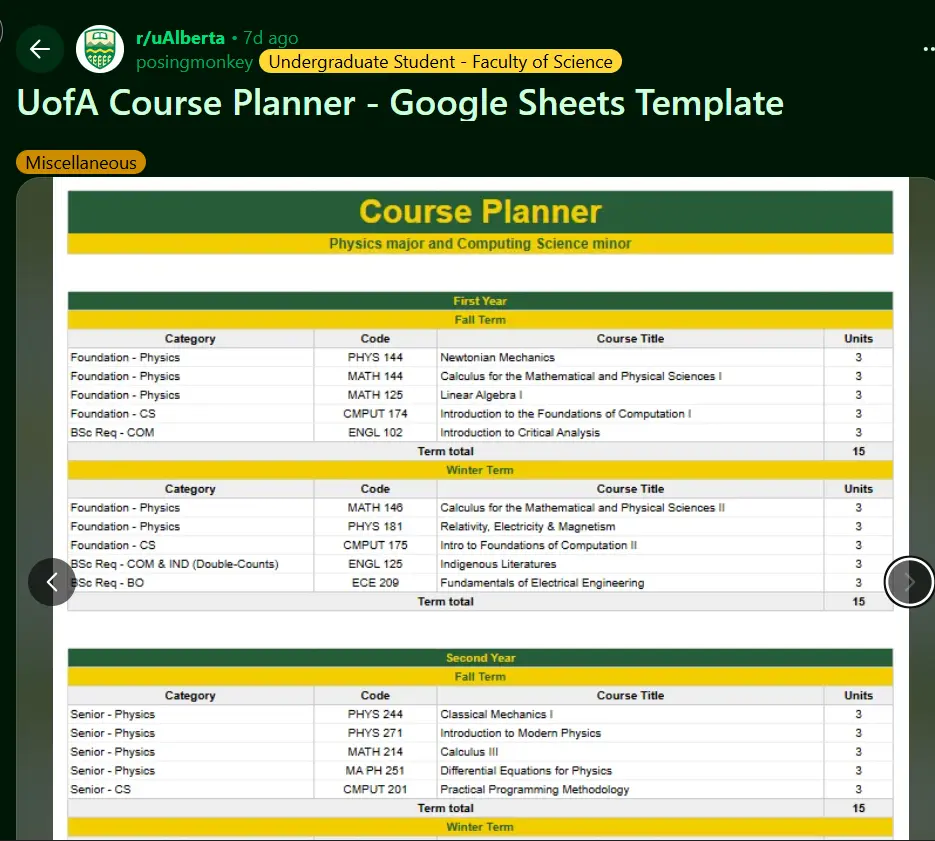
Sharing the first version on Reddit
You can see the post here: Reddit
To my surprise, I received a lot of support and appreciation. Some people commented. Many sent DMs asking if I could add more stuff to it. That’s when I realized the confusion wasn’t unique to me, other students were clearly struggling with the same thing.
But as I kept refining the spreadsheet, I began noticing its limits.
Limitation of the Spreadsheet
Spreadsheets are powerful.
But if I wanted to:
- Track requirements dynamically
- Add validation rules
- Export structured data
- Allow users to save and reload their plans
- Build a smarter feedback system
…the spreadsheet would either become extremely complicated or rely heavily on scripts and extensions.
At some point, I had to admit it: this wasn’t just a spreadsheet anymore.
Maybe it needed to become a web application?
Version 2: Building the Web App
So I decided to build a proper web application: UofA BSc Degree Planner (Unofficial).
Before writing code, I had to think through UI, UX, tech stack decisions, and overall structure.
Here are some of my personal rules for this project:
- No login system
- No cookies
- No data collection
- No backend database (okay… partly because my backend knowledge is still limited 😅)
- Everything must run locally in your browser
From the beginning, I wanted it to feel simple but powerful.
For the tech stack, I went with technologies I’ve been using for a few years:
- Astro
- React (+ TypeScript of course)
- Tailwind CSS
- ExcelJS (for Excel export)
With all that set, I started designing the UI. Honestly, I had no idea how to use Figma, so I decided to use the best UI designer tool ever: Microsoft Powerpoint 😆
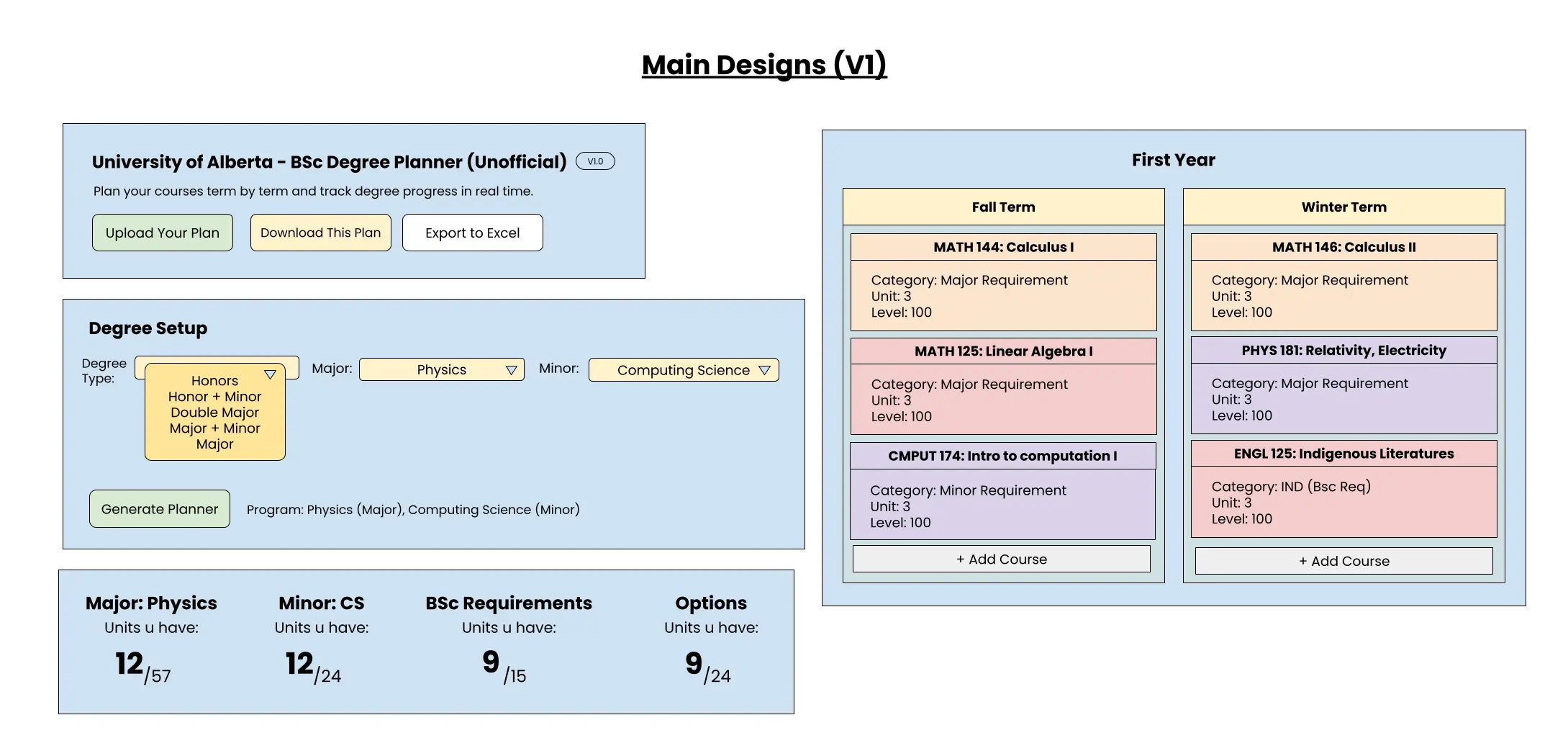
Design prototype
Exploring the Features
While working on the foundation, I asked myself:
“If I were a confused first-year student opening this for the first time, what would I need?”
From there, I laid out several core features.
1. The Four-Year Timeline View
The core of the planner is the four-year timeline. It mirrors how most BSc students structure their degree (fall and winter terms across four academic years). Now, you can visually place your courses into each semester and see how your degree unfolds.
Seeing four years compressed into one screen changes everything. It turns uncertainty into structure.
This part isn’t so crucial since you could achieve it with a simple spreadsheet, but since it’s the core of the planner, it must be built first.
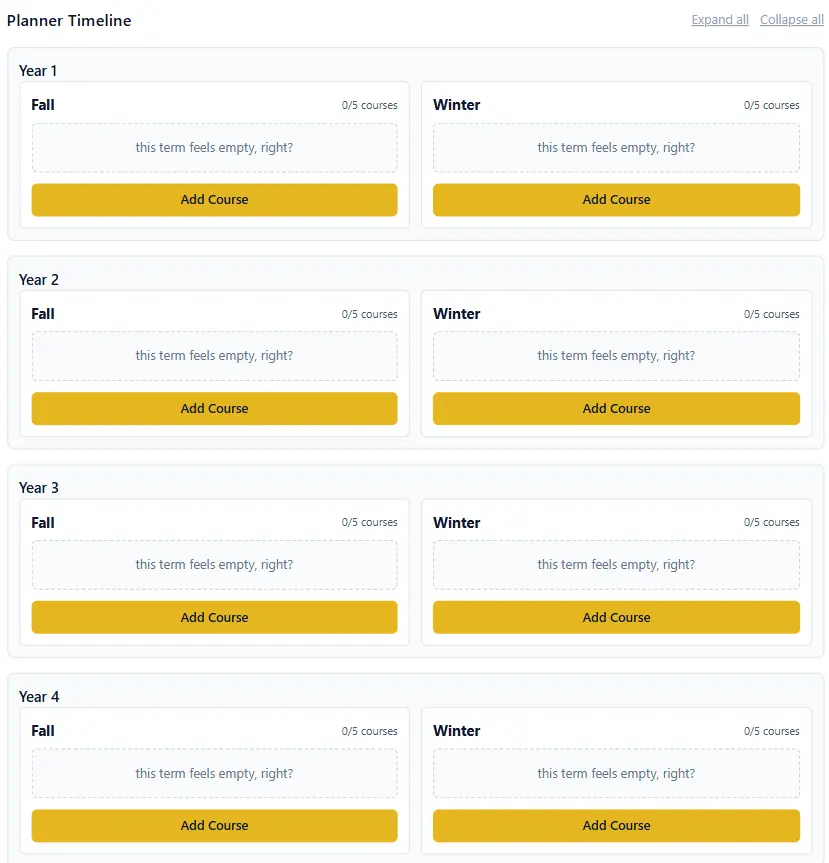
The full four-year timeline.
Within each term, you can add and remove courses (up to five per term to reflect a typical full load). I kept this intentionally simple. No complicated setup, just add your course and adjust as needed.
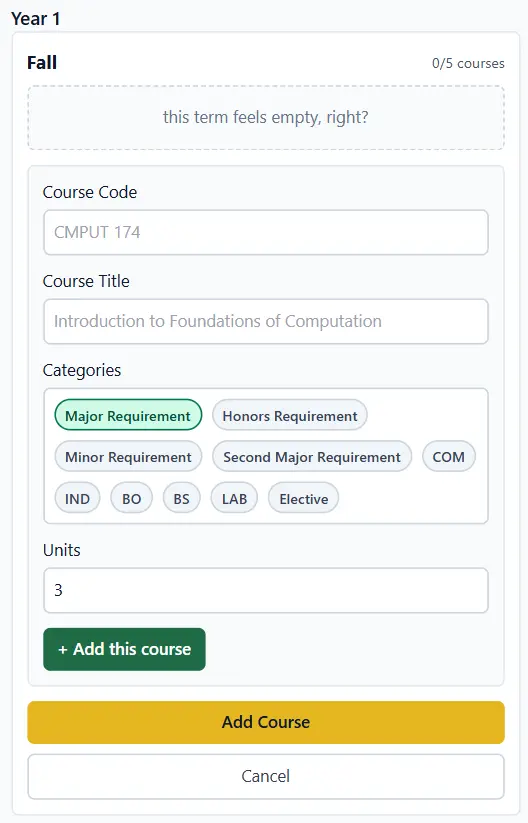
Adding courses semester by semester
2. Real-Time Requirement Tracking
As you add courses, the planner updates your planning progress dynamically.
Instead of constantly recalculating the units manually, you get immediate feedback. Once the requirement is fulfilled, the card turns green.
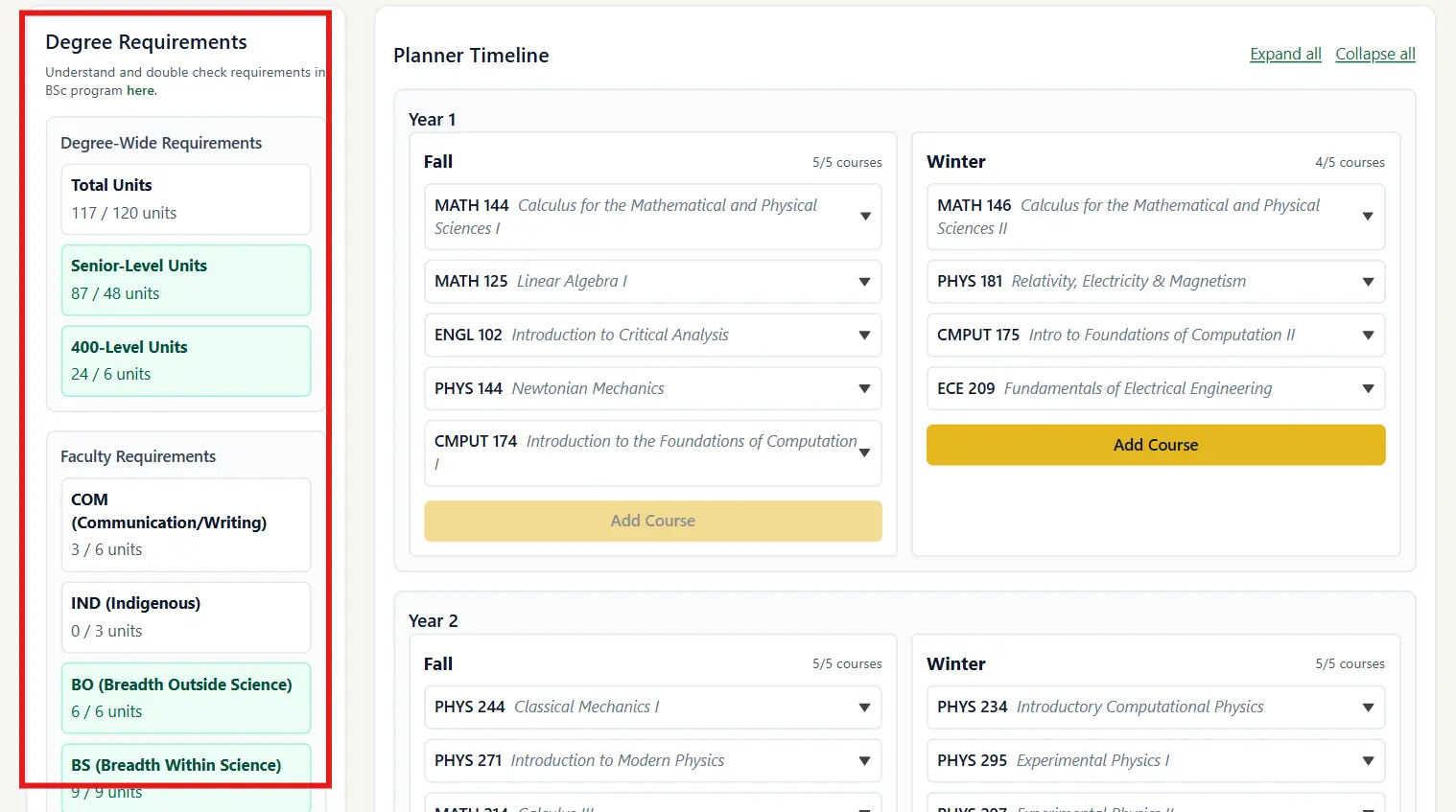
Real-time progress tracking
3. Download & Upload Plan
This tool takes privacy seriously. Since there are no accounts and no backend, everything is stored locally.
You can download your ‘Plan’ as a JSON file and save it anywhere. Later, you can upload it and continue exactly where you left off.
No login. No tracking. No database dependency.
Your Plan belongs to you (or others if you want to share it).
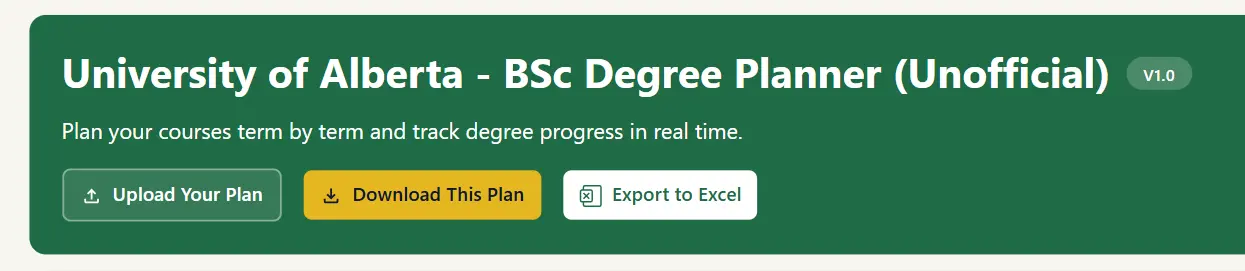
Download your Plan as JSON
4. Community Sharing
One feature I’m particularly excited about is the ability to submit Plans for community sharing.
Instead of every new student starting from scratch, they can explore example degree paths built by others. Maybe someone wants to see how a physics major + computing science minor could look across four years. Instead of guessing, they can learn from structured examples.
You can download shared Plans or submit yours manually.
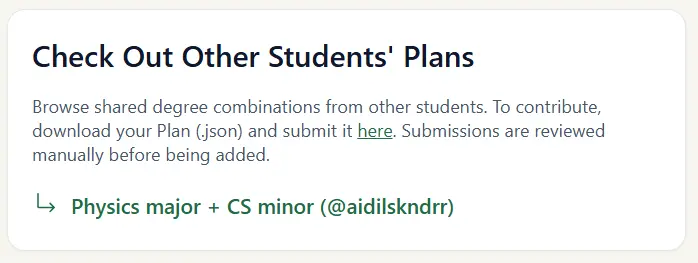
Community-submitted Plans
5. Export to Excel
Some people still prefer spreadsheets, and that’s completely valid.
So I added an option to export your Plan into a structured Excel template. Perfect for sharing with parents or advisors, or just keeping a traditional reference.
Export to Excel
This is how the Excel spreadsheet looks like:
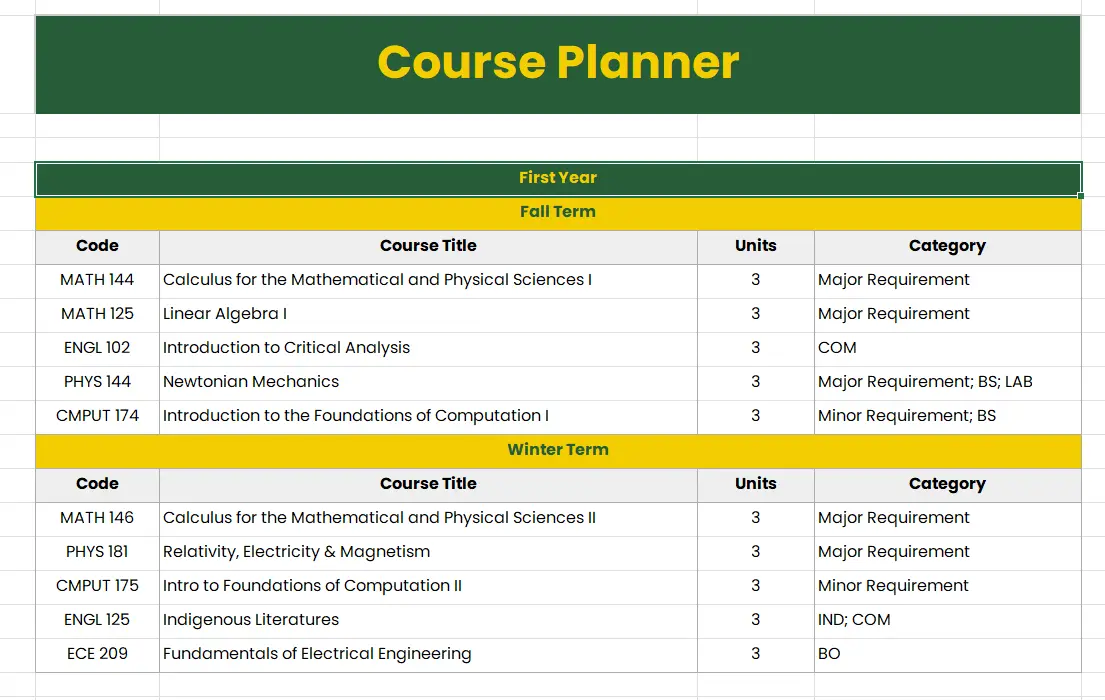
Exported .xlsx file
Building (And “Vibe Coding”)
I’ll admit something: I don’t enjoy writing CSS.
So instead of manually crafting every layout detail, I “vibe coded” much of the interface with the help of Cursor. This dramatically increased my productivity. Instead of spending hours on repetitive styling and boilerplate, I focused on:
- Designing the data structure
- Modeling requirement logic
- Implementing export systems
- Refining UX decisions
But here’s the important part: AI does not remove the need for engineering knowledge.
I still had to review code, refactor messy logic, catch structural mistakes, prevent bad architectural patterns, and maintain code quality. Without that foundation, it’s easy to generate something that looks functional but is structurally weak underneath.
I want to write more about this topic, perhaps in a different post?
🚀 V1.0 Is Live
After building, refining, and testing, Version 1.0 is officially live!
It’s not perfect. It’s not “final.” But it works. And that’s the point.
The planner is live, usable, and already helping students visualize their degree paths. That alone makes it worth building.
Check it out at this link: UofA BSc Degree Planner
Note: I haven’t purchased a proper domain yet. If the planner reaches my target audience, I might invest in a
.com.
Disclaimer & Transparency
I am an incoming student at the University of Alberta, but this planner is an independent project.
It is not officially affiliated with, endorsed by, sponsored by, or connected to the University of Alberta in any institutional capacity. It was built independently as a personal tool to help students visualize and structure their degree planning.
All degree requirements, policies, and academic decisions should always be verified with official university sources and academic advisors.
This tool supports planning. It does not replace official advising.
100% Free to Use
The planner is completely free to use.
- No paywalls
- No subscriptions
- No locked features
- No data collection
I don’t make profit from it, and there are no ads.
What I Learned
This project taught me more than I expected:
- If something doesn’t exist, you can build it
- Product design is different from coding
- Legal and responsibility considerations matter
- AI is a productivity tool, not a substitute for understanding
- Shipping Version 1.0 beats endlessly refining in private
Most importantly, it showed me that initiative compounds.
What started as:
“I wish there was a planner.”
Turned into:
“I’ll build one.”
And that shift changes everything.
Final Reflection
This project started as a Google Sheets template, but thanks to the love and support of the students at UofA, it grew into a full web application!
More importantly, it became proof of something simple:
If the path doesn’t exist, make one. The sky is the limit!
My degree at the University of Alberta hasn’t even started yet. But the building has already begun!
Thank you for reading, and I hope this tool helps you in your journey at UofA 🐻🐼